
Review · POMPEII TOURS
Naples: Pompeii Self Guided Audio Tour
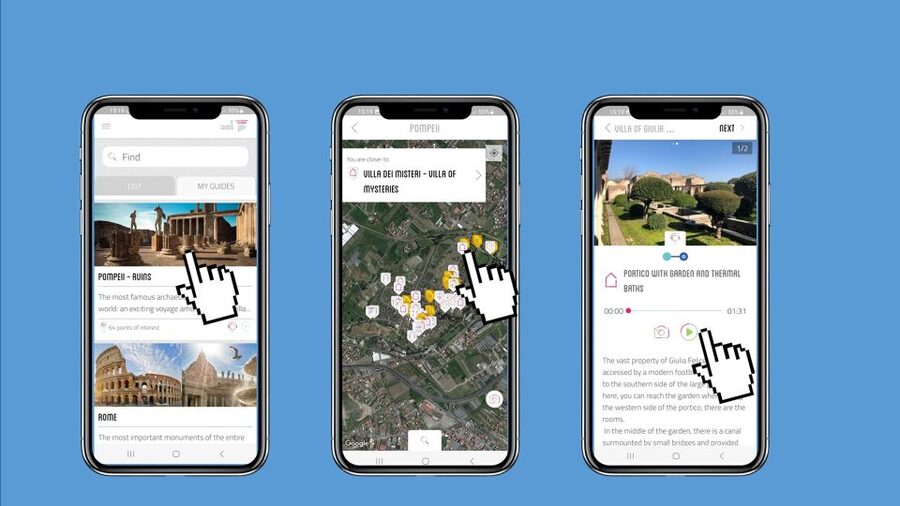
Pompeii works better when you set the pace. This self-guided smartphone audio tour lets you wander the excavations with 60+ geolocated points of interest, so you can focus on what you want to see and hear next. You’ll follow a map through the big highlights like the amphitheater, major houses, and daily Roman-life spots.
I also like the value: at $4.70 per person you’re saving more than 50% compared with an on-site ticket office audioguide, and the audio guide is yours to reuse on later visits. One drawback to plan for: the site’s internet can be spotty, so you need to download the guide files ahead of time, and the app experience can be a little fussy around returning to the map after each stop.
In This Review
- Key takeaways before you go
- Getting the Pompeii audio on your phone in the ITGUIDES app
- The stops that matter: amphitheater, House of the Vettii, and the lupanare
- Amphitheater: listen for how the space worked
- House of the Vettii: the home as a story
- Lupanare (brothel): learn the uncomfortable details without getting lost
- Roman baths, bread, taverns, and the everyday tech of urine processing
- Why these topics are such good value
- Minor timing reality
- Geolocated map for frescoes and mosaics you might otherwise miss
- Price and value vs buying an audioguide in person
- 4 hours, pacing, and what to watch in the app experience
- A smart pacing strategy
- Tech essentials (so you don’t waste time)
- Who should book this Pompeii self-guided audio tour?
- Should you book this Pompeii self-guided audio tour?
- FAQ
- Is the Pompeii entrance ticket included?
- Where is the meeting point?
- How do I get the audio guide after purchasing?
- Will it work with poor internet service inside the ruins?
- How long can I use the guide?
- Can I use the guide again on future visits?
- What languages are available?
- Is this tour wheelchair accessible?
Key takeaways before you go
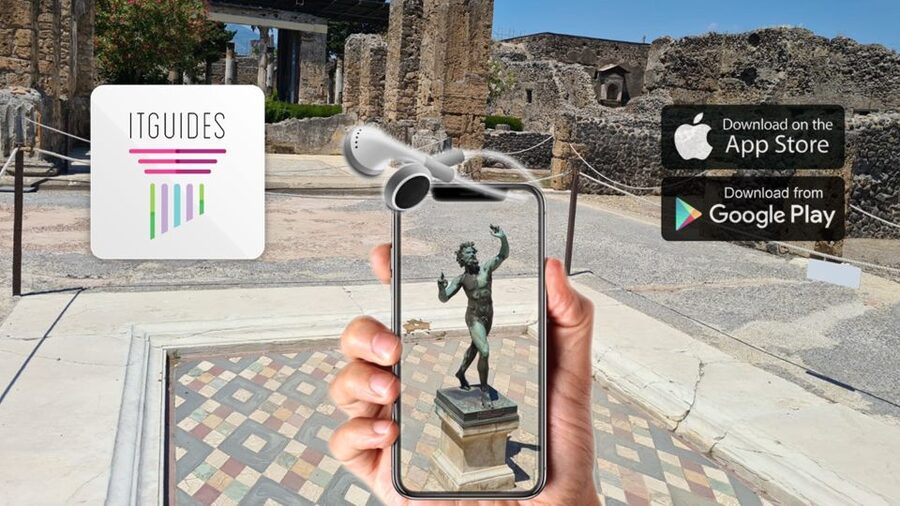
- 60+ geolocated points with audio, plus photo and text at each stop
- ITGUIDES app activation after purchase, using your app user ID and order number
- Offline-first reality: download content locally because Pompeii connectivity can be unreliable
- Big savings versus buying an audioguide in person at the ticket office
- Revisit-friendly audio since you can use the guide again on future trips
- 4-hour validity starting from first activation, so you’ll want a realistic route
Which Pompeii ticket and guide? Compare a few more.
- From Naples: Pompeii Ruins & Mount Vesuvius Day Tour★ 4.3 · 11,459 reviews
- From Naples: Skip-the-line Pompeii – Small Group Tour★ 4.5 · 4,401 reviews
- Naples or Sorrento: Full-Day Pompeii and Mount Vesuvius Tour★ 4.6 · 4,235 reviews
- Pompeii & Mt.Vesuvius Day Tour from Naples with Pizza Lunch★ 4.0 · 2,901 reviews
Getting the Pompeii audio on your phone in the ITGUIDES app
This is a self-guided experience, so there’s no meeting point and no set group schedule. You start when Pompeii is open and go where you want—then the app nudges you through stops with audio, photos, and text.
After purchase, the process is simple but you do need to plan for it:
- Download the ITGUIDES app before you arrive.
- Open the app, go to the menu and then the contact page.
- Send your app user ID plus your ITGUIDES order number so your Pompeii guide can be activated.
- Follow the instructions in your voucher for the exact steps.
A helpful detail: you can download the full guide content in advance and keep it on your phone, because the internet connection is not good inside the archaeological site. This matters a lot. If you rely on cellular data and signal drops, the tour can get annoying fast.
The good news is that the app is built for real walking. It uses geolocated points of interest, and you can navigate with a map instead of trying to guess where you are among wall fragments and restored sections.
You also get multiple languages: Italian, English, French, German, and Spanish, plus the option to try a free demo of the app content before committing.
The stops that matter: amphitheater, House of the Vettii, and the lupanare
Pompeii can feel like a maze until you know where to look. This guide is designed for that moment. It highlights famous spaces and keeps them understandable, not just scenic.
Amphitheater: listen for how the space worked
The amphitheater is one of those places where your first reaction is wow, then your second question is okay, but how did it function day to day? The audio guide gives you stories and explanations so you’re not just walking past tiers and stone seats. You’ll hear context that helps you connect the physical layout to Roman entertainment and audience life.
Practical tip: pause and look at the seating lines and sight angles. When you match what the audio says to what you see, it clicks faster—and you don’t need a live guide to get the point.
House of the Vettii: the home as a story
The House of the Vettii is a favorite stop because it’s a window into daily Pompeian life. The audio guide focuses on what makes the house special and helps you interpret details you might otherwise treat like decoration.
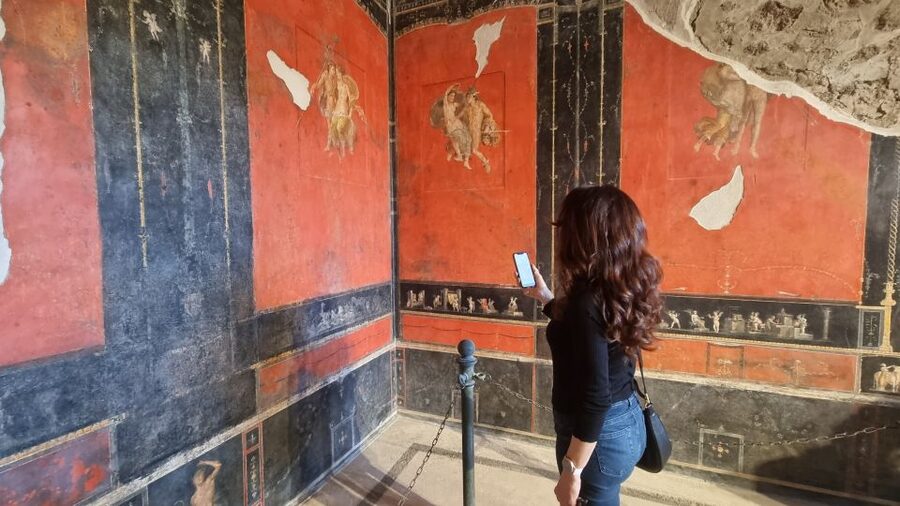
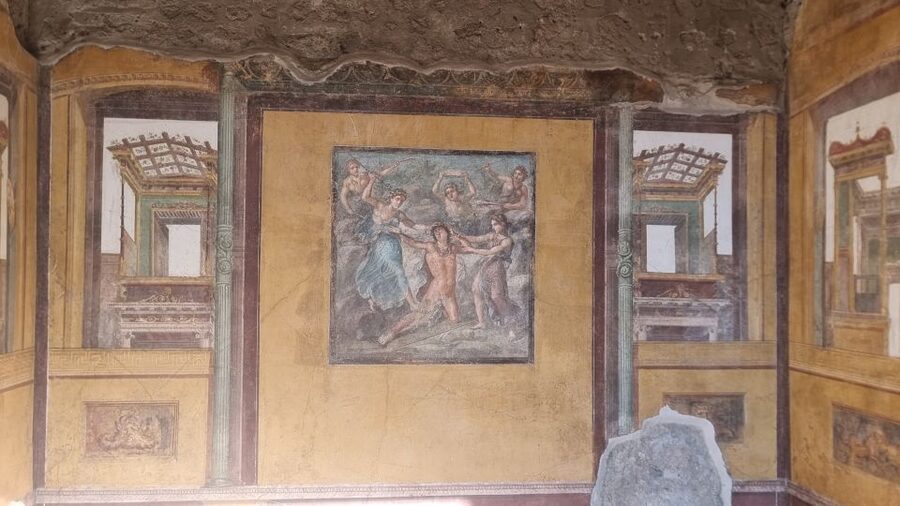
Look for frescoes and room-to-room changes as you move. The guide’s structure—audio paired with photos and text—works well here because it gives you a reason to slow down instead of just doing a fast circuit.
More guided runs around Naples






Lupanare (brothel): learn the uncomfortable details without getting lost
The lupanare gets included for a reason: Pompeii isn’t only about temples and fancy houses. The audio guide gives you the stories and curiosities that show what city life included, including the parts that feel very modern.
Important note: the content is specific and sometimes blunt in subject matter because that’s part of Pompeii’s real record. If you want purely family-friendly narration, you should skim the demo first or decide on a more selective route.
Roman baths, bread, taverns, and the everyday tech of urine processing
What makes this guide worth your phone battery is that it doesn’t stay at the monument level. It talks about routines: how people bathed, what they ate, and even how everyday industries worked.
Here are the daily-life topics that show up in the guide:
- How Roman baths worked (so the plumbing and room layout make sense)
- What people ate in Roman taverns
- How bread was made
- How urine was used for wool processing
That last one is the kind of detail that makes Pompeii feel real. You start thinking like a Roman—what materials were available, what worked, and how labor connected to the city’s economy. It’s not just shock value. It’s practical history: people needed ways to process textiles, and the city’s routines reflected that.
Why these topics are such good value
You could spend your whole day seeing buildings and still finish with vague impressions. This guide helps you convert visuals into understanding. The audio segments are also designed to be manageable while walking, so you can listen in chunks instead of being stuck reading long text panels.
Minor timing reality
You don’t control the ruins, but you control your listening order. If you try to listen to everything at the busiest points, you can run out of time. The best approach is to choose the stops you care about most and then fill in the rest with whatever you can comfortably fit into your 4-hour window.
Geolocated map for frescoes and mosaics you might otherwise miss

Pompeii’s best visual moments—frescoes and mosaics—can be easy to overlook if you don’t know where they are or what to search for. This tour leans into that with more than 60 points of interest and a map that’s tied to those locations.
In practical terms, here’s how the map helps:
- You can see which points you’ve already visited (with checkmarks on the map).
- You can move between stops using the on-screen locations instead of guessing.
- The guide is designed so you can follow a “best preserved” focus, with attention to the more beautiful and still-legible artwork.
One note from real-world app use: if an area has more than one audio clip, the map’s checkmark behavior may not perfectly reflect what you played. The clips can still play, but the map indicator might lag. It’s not a dealbreaker, just something to expect if you’re the type who likes your progress tracker to be spotless.
Also, plan for small screen hassles. Some users report that after finishing an audio segment, the app can bounce you back to the map and zoom out, requiring a quick re-zoom to find your location. If you’ve got a low battery or a protective case that blocks screen edges, this becomes more annoying—so keep your phone easy to use.
Bottom line: the map makes the tour feel navigable, and it’s especially useful for targeting the art-heavy stops.
Price and value vs buying an audioguide in person

At $4.70 per person, this guide is dramatically cheaper than typical on-site audioguides—one of the core selling points is that you save more than 50% versus the ticket office audioguide. That’s not a small difference. When you’re paying for multiple people, it can change the whole trip budget.
What’s not included is also clear:
- Pompeii site entrance ticket is not included.
So think of this as paying for interpretation, not for entry. You still need to buy your ticket for the excavations through the official channel.
The value also improves when you think beyond one visit. The audio guide is yours forever, so you can reuse it on a later trip—useful if you’re the type who wants to re-walk Pompeii once you’ve absorbed more context, or if you’re traveling with different timing on future years.
Languages are included in the price too: Italian, English, French, German, Spanish. That’s a real advantage if someone in your group needs a different language than English.
4 hours, pacing, and what to watch in the app experience
The guide is valid for 4 hours from first activation. That’s an important planning detail. You can absolutely move faster or slower than a “guided group,” but you’ll still need to pick a realistic listening route.
A smart pacing strategy
I recommend a simple rule: don’t try to listen to every single stop in order. Instead:
- Pick your top 3 must-hears (amphitheater, House of the Vettii, lupanare are common choices).
- Use the map to fill in 2–3 extra points when they’re near your route.
- Save the longer, more information-heavy segments for when you’ve stopped moving and can take in the room or view.
Pompeii has restoration and closures. If a spot is unavailable, the geolocated nature of the guide still helps you keep moving logically.
Tech essentials (so you don’t waste time)
Because you may have poor service inside the site, do these before you arrive:
- Download the guide content locally.
- Bring a charged phone and a small power bank if you use maps a lot.
- Expect that camera use or switching apps can make the tour restart or cause you to re-find your location in some cases.
Also, the app is wheelchair accessible, which is a big plus if you want the independence of a self-guided tour without losing access.
Who should book this Pompeii self-guided audio tour?
This is a great fit if you want:
- Freedom: no schedule, no group pacing.
- Navigation help: geolocated map guidance while you walk.
- Story-first sightseeing: audio that adds context to buildings and daily life.
- Value: budget-friendly compared with on-site audioguides.
It’s less ideal if you strongly prefer a live human guide, or if you hate any reliance on phone screens and apps. Since the audio is smartphone-based and best experienced offline, you’ll want to feel comfortable with your device.
Should you book this Pompeii self-guided audio tour?
Yes—if you want Pompeii to feel understandable without paying for a full guided tour. The $4.70 price, the 60+ geolocated points, and the fact that you can download content ahead of time make it a smart way to get more meaning per hour in the ruins.
Before you buy, do one quick check: make sure your phone is ready for offline use (download first, charge fully). If you’re the type who gets frustrated by small app quirks, also accept that the map behavior may take a bit of fiddling after some audio segments.
If you’re balancing the visit between Pompeii and other sites in Campania, this guide is especially handy because you can reuse it on another day when you’re ready for a second pass.
FAQ
Is the Pompeii entrance ticket included?
No. The guide is for the audio and map experience inside Pompeii, but the site entrance ticket is not included.
Where is the meeting point?
There is no meeting point. This is an autonomous, self-guided activity that you can start on your own.
How do I get the audio guide after purchasing?
Download the ITGUIDES app, then use the app’s contact page to send your app user ID and your ITGUIDES order number so the Pompeii guide can be activated. The voucher also includes the steps.
Will it work with poor internet service inside the ruins?
Plan on downloading the guide contents locally before you go, because the internet connection can be unreliable in the archaeological site.
How long can I use the guide?
The guide is valid for 4 hours, starting from your first activation.
Can I use the guide again on future visits?
Yes. The audio guide is yours to reuse on later visits.
What languages are available?
The audio guide is available in Italian, English, French, German, and Spanish.
Is this tour wheelchair accessible?
Yes, the experience is listed as wheelchair accessible.
More Tours in Naples






More Tour Reviews in Naples

More Pompeii Tours to Compare





More Naples tours, freshly reviewed





Pompeii Tours, compared.
 ★ 4.8Pompeii: Entry Ticket and Guided Tour with an ArchaeologistFrom $3519,459 reviews
 ★ 4.1Pompeii: Entry Ticket with Audio GuideFrom $4013,491 reviews
 ★ 4.8Pompeii: Small Group Tour with an ArchaeologistFrom $4012,264 reviews
 ★ 4.3Pompeii Ruins & Mount Vesuvius Day TourFrom $12011,459 reviews
★ 5.0Pompeii Small Group Tour with an ArchaeologistFrom $356,593 reviews
★ 4.3Pompeii Ruins & Mount Vesuvius Day TourFrom $12011,459 reviews
★ 5.0Pompeii Small Group Tour with an ArchaeologistFrom $356,593 reviews
 ★ 4.5Skip-the-line Pompeii – Small Group TourFrom $544,401 reviews
 ★ 4.6Naples or Sorrento: Full-Day Pompeii and Mount Vesuvius TourFrom $1044,235 reviews
 ★ 3.9Pompeii: Skip-the-line Entry Ticket with Audio Guide & MapFrom $433,153 reviews
Browse the lists this tour appears in